
Document Scanning vs. Photography: Which Is Better for Archival Digitization?
In the realm of archival digitization, choosing between document scanning and photography can significantly impact the quality of your preserved materials. This article explores both methods, their advantages, and best practices to help archivists make informed decisions.

Introduction
In the evolving landscape of archival digitization, the choice of method can profoundly affect the preservation and accessibility of historical documents. Among the leading techniques, document scanning and photography stand out as the most widely utilized. Each method possesses its unique benefits and challenges, making it crucial for archivists to evaluate them based on their specific needs and resources.
Document Scanning: A Closer Look
Document scanning involves using specialized scanners to capture high-resolution images of physical documents. This technique is favored for several reasons:
- Quality and Detail: Modern scanners can produce exceptionally high-resolution images, ensuring that even the finest details of a document are preserved. This is particularly important for text-heavy documents where clarity is paramount.
- Speed and Efficiency: Scanning allows for the rapid digitization of multiple pages or documents, making it an efficient choice for large collections.
- OCR Capability: Many scanning systems include Optical Character Recognition (OCR) technology, which converts scanned images into editable and searchable text, enhancing accessibility.
Limitations of Document Scanning
Despite its many advantages, document scanning is not without its drawbacks:
- Cost of Equipment: High-quality scanners can be expensive, and maintaining them requires some investment.
- Physical Constraints: Some fragile or oversized materials may not be suitable for standard document scanners, which can limit accessibility.
Photography: An Alternative Approach
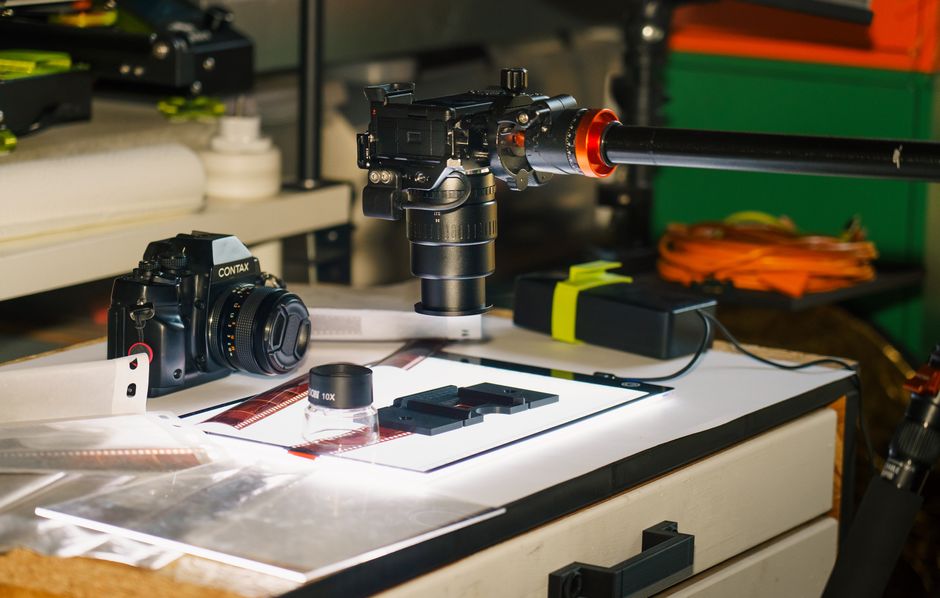
Photography serves as an alternative for digitizing documents, particularly those that are larger, three-dimensional, or fragile. Here are some merits of this method:
- Flexibility: Photography can easily accommodate various formats, including books, artifacts, and larger items that are difficult to scan.
- Minimal Handling: Using a camera allows for minimal handling of delicate items, reducing the risk of damage during the digitization process.
- Cost-Effective: For institutions with budget constraints, photography can be a more affordable option, especially if staff already have access to high-quality cameras.
Challenges of Photography
While photography is a viable option, it also has limitations that archivists should consider:
- Lighting Conditions: Achieving the right lighting is crucial for capturing clear images. Poor lighting can lead to shadows, glare, or color inaccuracies.
- Post-Processing Needs: Photographed images often require significant post-processing to adjust colors and enhance clarity, which can be time-consuming.
Choosing the Right Method
The decision between document scanning and photography will depend on various factors, including:
- Type of Materials: For text-heavy, flat documents, scanning may be preferable. For larger or fragile items, photography might be the best choice.
- Budget and Resources: Consider the available budget for equipment and staffing. Institutions with limited resources may prioritize methods that maximize efficiency and minimize costs.
- Desired Output: Determine whether searchability (OCR capability) is a priority, which would favor scanning.
Conclusion
Ultimately, both document scanning and photography have their place in archival digitization. By understanding the strengths and weaknesses of each method, archivists can make informed decisions that best serve their collections and the needs of their users. As the demand for digitization continues to grow, leveraging the right technology will be key to preserving our cultural heritage.
For organizations looking to enhance their archival practices, consider exploring Archively AI's solutions for modern archive management software tailored to your needs.
References
This article draws on insights from Archival Digitization: A Comprehensive Guide.
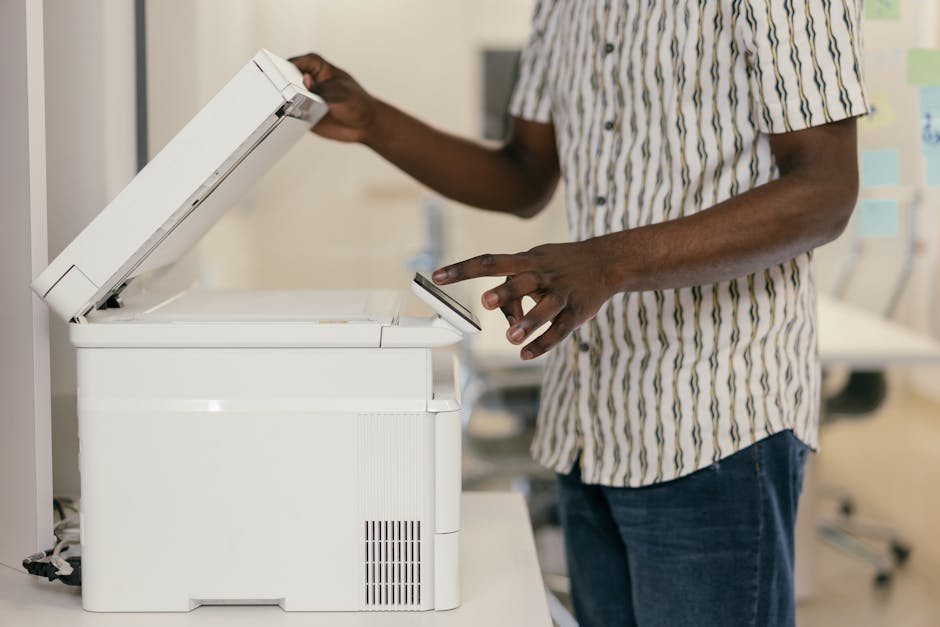
Photo by Mikhail Nilov on Pexels

Photo by Jakub Zerdzicki on Pexels
Related reading: About.
Sources
Written by
Onboarding Team at Archively
Related articles
 Technology
OCR for Historical Documents: Evaluating Effectiveness and Limitations
Explore the advancements and challenges of OCR technology in the preservation of historical documents. Learn what works, what doesn't, and how it impacts archival digitization.
 Archives Management
How to Digitize a Physical Archive: A Step-by-Step Guide for 2026
Digitizing a physical archive is a complex but rewarding task. This guide outlines the essential steps to successfully transition to a digital archive in 2026.
 Archive Management
From Shoebox to Searchable: Digitizing a Family Photo Collection
Transform your family memories from physical shoeboxes into a searchable digital archive. Discover the benefits, steps, and tools necessary for successful digitization.
 Archival Management
Enhancing Archival Descriptions for Improved Research Accessibility
Discover how to craft better archival descriptions that enhance discoverability and utility for researchers, leveraging best practices and modern tools.
More from Archively
 Technology
How Small Archives Are Reaching Global Audiences Online
Explore how small archives leverage digital platforms to connect with global audiences, enhance visibility, and foster community engagement.
 Archive Management
Building an Archival Workflow: Accessioned to Published in 5 Stages
Learn how to transform your archival process from accessioning to publication through an efficient five-stage workflow.
 Archive Management
Crosswalking Metadata: Moving Collections Between Standards Without Losing Data
Learn how to effectively crosswalk metadata to seamlessly transfer collections between different standards while preserving data integrity.
 Archival Management
Seamlessly Importing Data from Google Drive, Box, and SharePoint into Your Archive
Explore effective strategies for importing data from popular cloud storage services like Google Drive, Box, and SharePoint into your archival management system.
Other blogs you may like
 Halal Dining
Halal Nearby
Your Guide to Properly Reviewing a Halal Restaurant
Discover the essential elements to consider when reviewing a halal restaurant. From ambiance to food quality, this guide provides insights for an authentic dining experience.
 Marketing
CrediBlog
Harnessing AI for Content Creation: Key Takeaways from the 'Is Thought Leadership Dead?' Webinar
This article summarizes the key insights from a webinar discussing the evolution of thought leadership in the age of AI, providing actionable strategies for marketers.
 Business Technology
EZLineup
Enhancing Customer Waiting Experience with Intelligent Line Management Solutions
Explore how businesses can transform their customer waiting experiences through advanced line management solutions, ensuring efficiency and satisfaction.